Know what to check before you switch bid strategies
Check your tracking, work out a starting target, and write down how you’ll judge the results. An eight-page checklist and worksheet pack for Google Ads.
Get the PDF for $29 →One-time purchase · Printable worksheets · Updated September 2026
Spend dropped. Should you wait or switch back?
You moved from Maximize Clicks or Manual CPC to conversion bidding. Now the campaign barely spends, and the advice you find ranges from “give it two weeks” to “switch back today.”
The next step depends on the cause. A restrictive target, missing conversions, or a delay between clicks and qualified leads can each call for a different response. This checklist gives you a sequence to work through and a place to record what you find.
Check the campaign before you switch
Confirm the selected conversion actions, tracking, history, and strategy eligibility. Identify what needs fixing before you use the results to judge a bidding change.
Calculate a baseline you can compare
Work out cost per conversion, cost per qualified lead, and ROAS from your own totals. Two worked examples show why a form submission and a qualified lead need different calculations.
Set a budget and a review plan
Record the amount you can spend on the evaluation, the outcome you want, and the conversion delay to allow for. Decide how to compare results and who will monitor spend.
Investigate low spend or missing conversions
Check targets, tracking, imports, eligibility, and reporting delays. Use the findings to decide whether to fix a problem, keep collecting results, adjust a target, or reconsider the switch.
Keep a record of results and decisions
Use the printable results table and change log for each review. The PDF includes links to the Google Ads documentation behind the technical advice.
See the target worksheet
Start with the conversion you actually bid toward. The worksheet separates cost per form submission from cost per qualified lead, then leaves room for your numbers and the reason behind your proposed target.
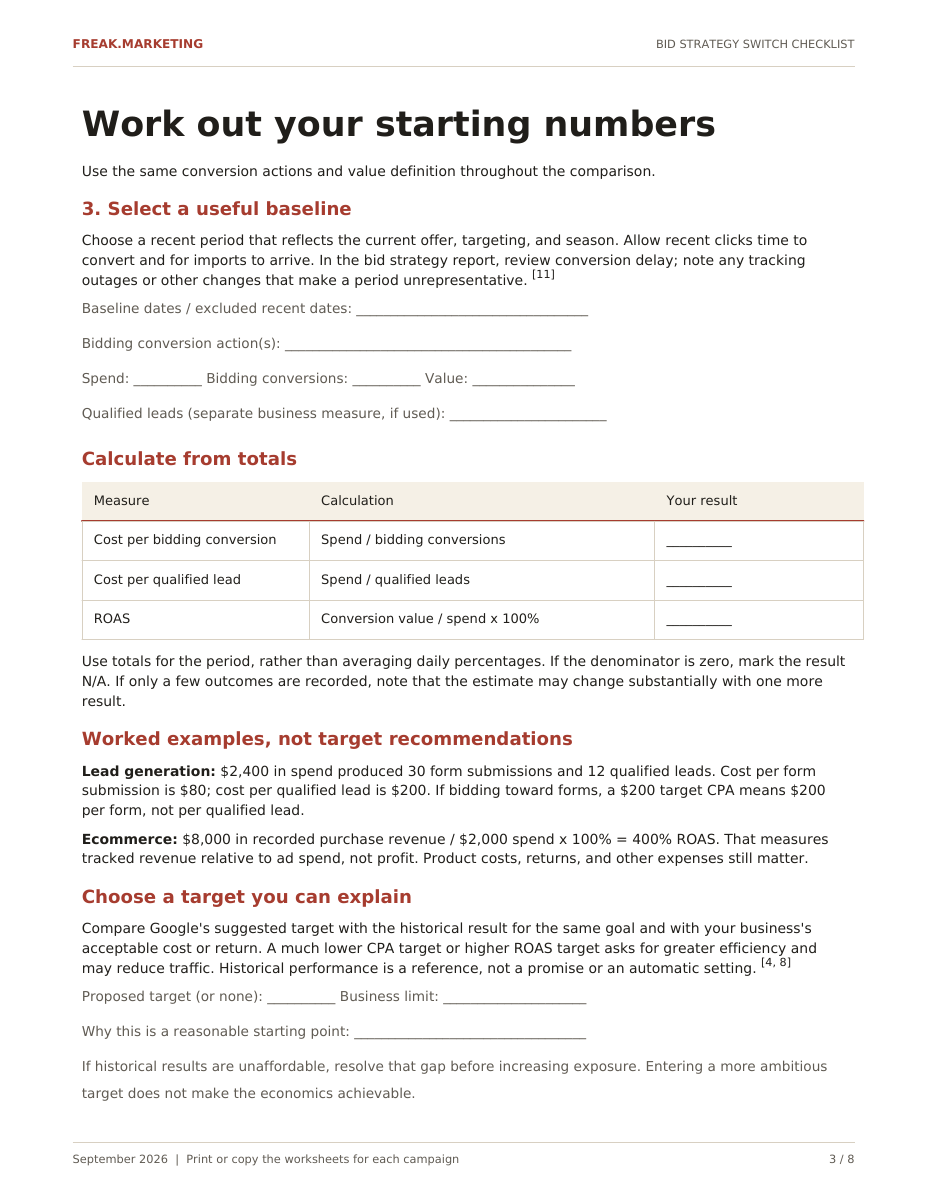
Page 3 of the download. Click the preview to read it at full size.
For advertisers making or reviewing a switch
Use it before changing strategies or when an existing switch needs investigation. It focuses on Search campaigns, with notes for Shopping and value-based bidding. You’ll need access to your campaign settings, conversion reports, and actual lead or order records.
You get one PDF containing the guide, calculations, and printable worksheets. You can copy the tables into your own spreadsheet. There is no separate spreadsheet, automated calculator, or account review included.
The checklist helps you make and document a decision. It cannot guarantee a profitable switch or tell you that every campaign will recover by a particular day.
Get the Bid Strategy Switch Checklist
Download the PDF from your member area after purchase and reuse the worksheets for each campaign.
Eight-page PDF: readiness checks, target calculations, budget planning, troubleshooting, and printable review worksheets.
✓ 90-day implementation guarantee
Upgrade to Premium for lifetime access to all courses, Claude skills, and future content.
- Everything in this checklist
- All other courses
- Claude skills
- All future content
- Priority support
✓ 90-day implementation guarantee
The 90-Day Implementation Guarantee
If you apply the process for 90 days and still do not see meaningful progress in lead quality, we will work with you to identify what is missing. If that still does not move the needle, we will refund 100%.
To qualify, you agree to:
Put the checklist into practice in an active Google Ads account, keep it running consistently, and track your results. Ask for support when you get stuck so we have a fair shot to help you improve.
What “meaningful progress” looks like:
Fewer junk inquiries, fewer irrelevant clicks, and a higher share of qualified prospects. If, after 90 days of best-effort implementation and our assistance, those signals don’t improve, we’ll refund your purchase.
How to request a refund:
Email support within 90 days of purchase with simple evidence that you implemented the training and kept campaigns active. We’ll review promptly, help if we can, or issue a full refund.